Feedback Form
The Feedback Form feature allows you to collect player feedback directly from within your game. While primarily designed for playtesting, it can also be used in production builds to gather user input.
Enabling the Feedback Form
Toggle the "Feedback Form" switch in the build pipeline to inject the feedback collection scene into your game.

When enabled, Hyperstone automatically injects a feedback form scene into your game build. Players can access this form during gameplay to submit their feedback.
In-Game Feedback Form
Once injected, players will see a feedback form interface within your game where they can submit their thoughts, bug reports, or suggestions.
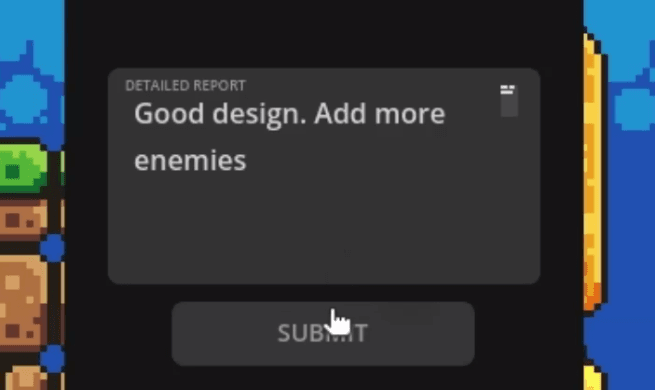
The form allows players to:
- Write detailed feedback
- Report bugs or issues
- Suggest improvements
- Share their experience
Viewing Feedback
All submitted feedback is collected and displayed in the Playtest Feedback panel, where you can review and manage responses.

The feedback dashboard shows:
- Player submissions with timestamps
- Feedback content and details
- Easy-to-read format for quick review
Customization
The feedback form can be customized to include additional fields or sections based on your specific needs. You can modify the form structure to collect exactly the information you need from your players.