Overview
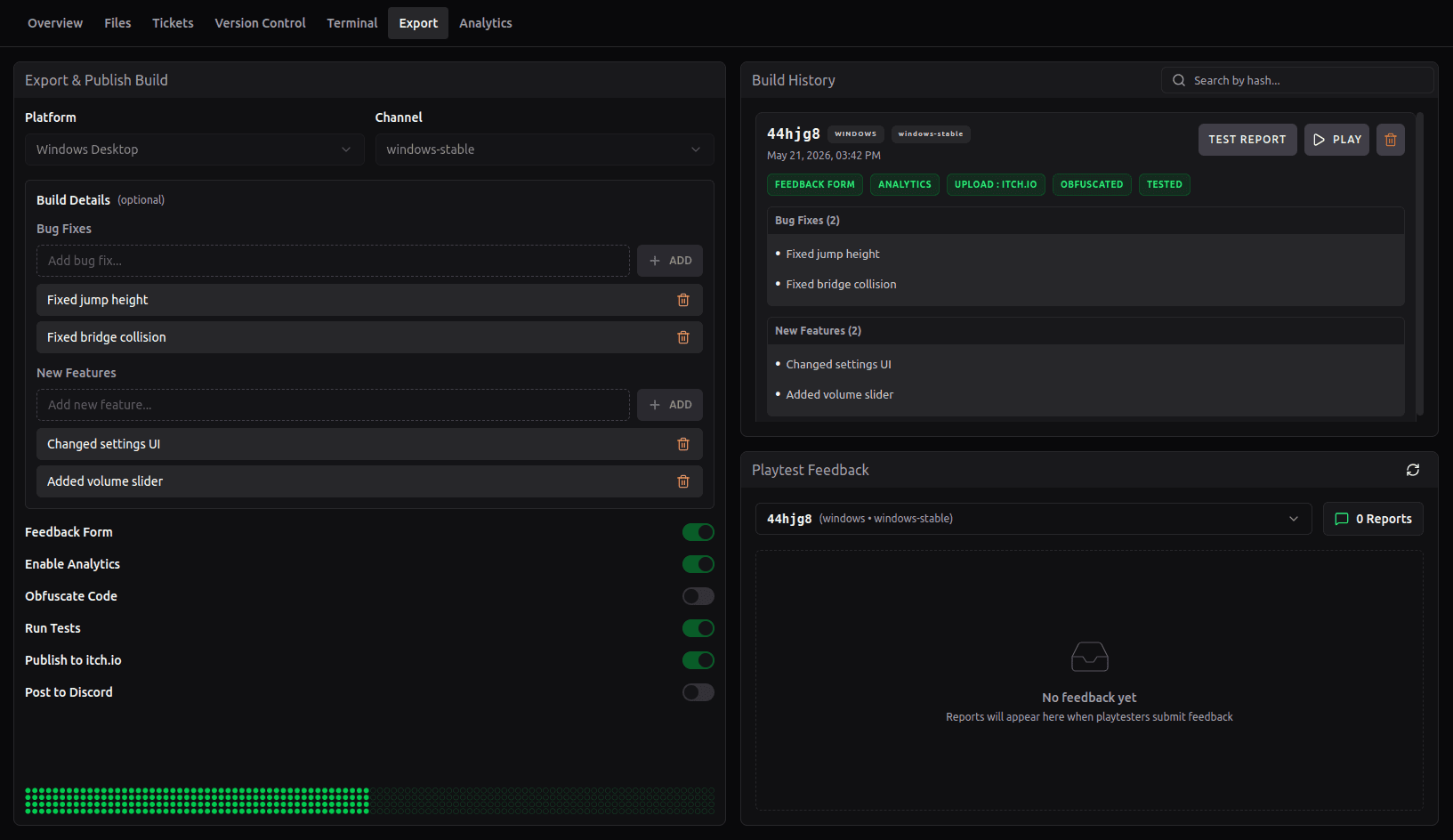
The Build Pipeline in Hyperstone provides a unified interface for exporting, testing, and publishing your game builds. All build operations are managed from the Export tab in your project.
Key Features
The build pipeline offers several powerful features to streamline your development workflow:
- Platform Selection: Export builds for Linux, Windows, or Web
- Channel Management: Organize builds by channels (stable, playtest, or custom)
- Build Tracking: Record bug fixes and new features for each build
- Feedback Form: Inject an in-game feedback form for playtesting
- Testing: Run automated tests and generate reports
- Code Obfuscation: Protect your game code before release
- itch.io Publishing: Automatically publish builds to itch.io
- Discord Integration: Post build announcements to Discord
Build Workflow
The typical build workflow follows these steps:
- Select your target platform and channel
- Optionally add bug fixes and features to track changes
- Enable desired features (feedback form, testing, obfuscation, etc.)
- Click "Export Build" to start the process
- Monitor progress as your build is created
- View build history and test reports after completion
Each build is tracked in your build history with all associated metadata, making it easy to reference specific versions and their changes.