Testing
The testing feature helps you maintain code quality by running automated tests before each build. This ensures that every build you create has a record of test results, making it easier to track regressions and verify functionality.
Running Tests
Enable the "Run Tests" option to execute your test suite during the build process.

When enabled, Hyperstone will:
- Run all tests in your project using Vitest
- Generate a comprehensive test report
- Store the results with your build record
- Make the report accessible from the build history
Test Framework
Hyperstone uses Vitest as the testing framework. Tests are executed in the game environment, allowing you to verify game logic, systems, and integrations before deployment.
Your tests should be written using Vitest syntax and placed in your project's test directory. The test runner will automatically discover and execute all test files during the build process.
Viewing Test Reports
After a build completes with testing enabled, you can access the test report from the Build History panel.
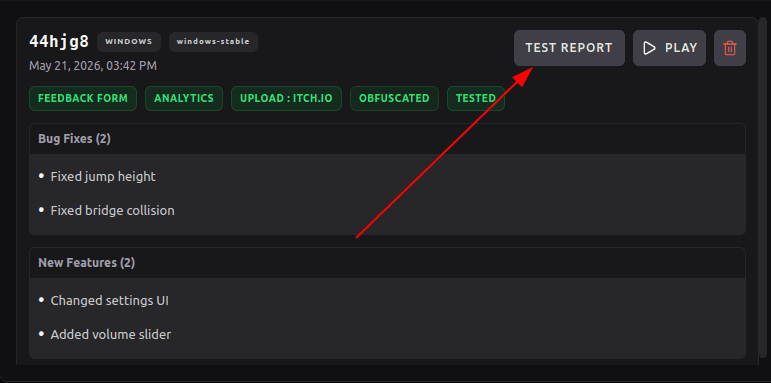
Click the "Test Report" button next to any build to view its test results.
Test Report Details
The test report provides a detailed breakdown of all test executions, including passed tests, failures, and any errors encountered.
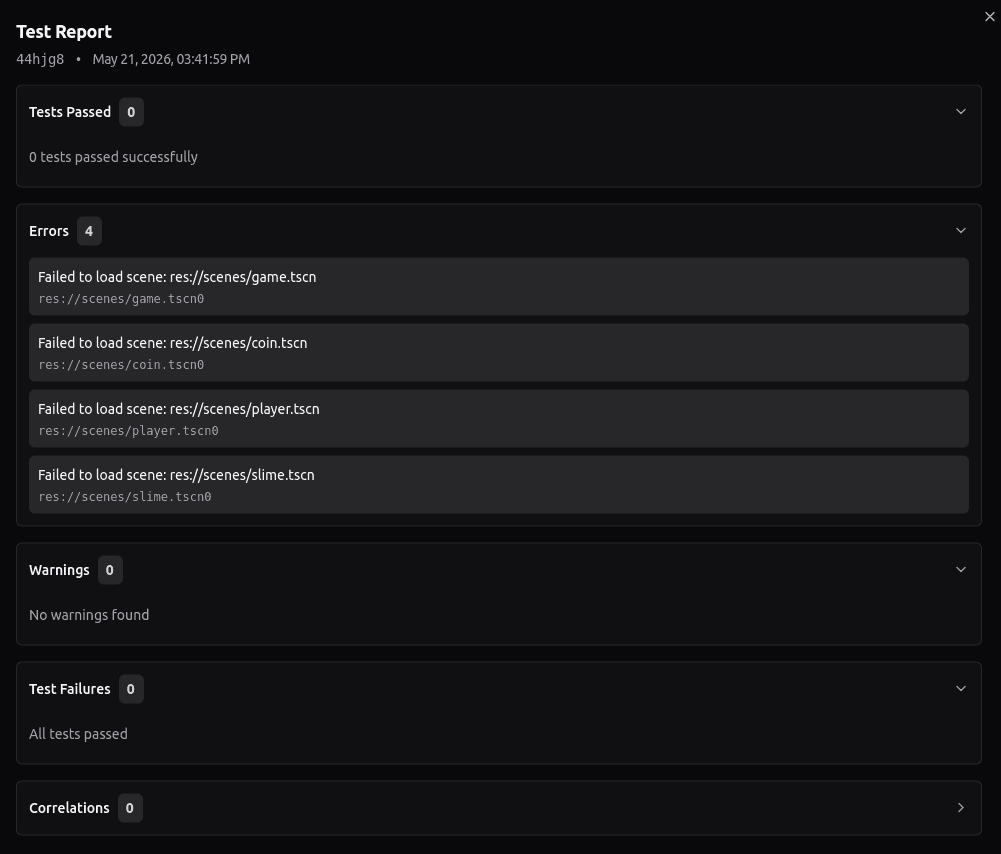
The report includes:
- Total number of tests run
- Pass/fail status for each test
- Execution time
- Error messages and stack traces for failures
- Coverage information (if configured)
Writing Tests
Tests in your Godot project should follow Vitest conventions. Here's a basic example structure:
# Example test structure (conceptual)
# Your actual tests will be in TypeScript/JavaScript using Vitest

describe('Player Movement', () => {
  it('should move player when input is received', () => {
    // Test implementation
  });

  it('should stop player when no input', () => {
    // Test implementation
  });
});
The test runner integrates with your game code, allowing you to test game systems, physics, UI interactions, and more.